
The Rokid Smart AI Glasses are AI glasses with a built-in display for text information and an AI system. In the previous article, we unboxed the device, which was recently launched for pre-order on Makuake, and introduced its design and weight. In this article, we will finally introduce what we learned from actually trying out the setup and AI functions.
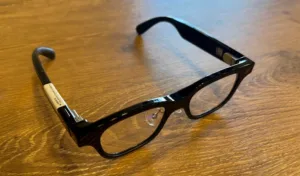

* “AI glasses” refers to eyeglasses with built-in AI.
Setup takes about 5-10 minutes.

The setup process follows the included instruction manual. While this manual supports four languages, including Japanese, it doesn’t have separate pages for each language; instead, multiple languages are presented within a single section. Initially, the sheer volume of information might be overwhelming, but the accompanying illustrations make the steps easy to understand.
The entire setup process took about 5-10 minutes. Most of that time was spent waiting for the app to download or for the device to update, so the process itself was very simple.

After installing the dedicated app and registering an account, the pairing process with the device begins. During this time, a voice guide in Japanese saying “Pairing in progress” is played from the glasses, which was reassuring as it allowed me to confirm the connection status by ear. Once the connection is successfully established, the app displays a detailed tutorial covering everything from basic functions such as taking photos, recording audio, and playing music, to how to use the main AI assistant.
With everything ready, it’s time to activate the AI by saying “Hi Rokid”.
AI Assistant Function: Good Japanese Voice
This device features the latest AI models, GPT-5 and Gemini, working in conjunction. When you look at it and ask a question, the AI instantly analyzes what’s in front of you and explains it simultaneously in text and voice. (Visual recognition function)
To begin with, as a warm-up, I asked, “What is the tallest building in the world?” and received an immediate answer: “The Burj Khalifa in the United Arab Emirates. It is approximately 828 meters tall.”
Furthermore, to test one of the device’s features—visual recognition—I asked it, “What is displayed in front of you?” It accurately recognized my work environment and replied, “There is a PC, and a screen showing something being worked on is displayed.” The fact that it provides this information in clear, easy-to-understand Japanese is extremely helpful.
In another instance, when I held up a penguin toy and asked, “What kind of animal is this?”, I received a response that clearly recognized the object in front of me: “Isn’t it a penguin toy, not an animal?”
The feeling that the AI was sharing “the world I see,” rather than simply looking up information, was a new experience unlike anything I’d experienced with previous smart devices.
*While this feature offers many possibilities, it cannot identify individuals captured by the camera. Please use it with caution.
I also tried out other features.
In addition to the AI assistant function, the Makuake product page also lists features such as a 1,200-pixel camera, open-ear audio, document display, reminders, and meeting minutes. I tried out these features myself.
Camera features: Requires getting used to due to the wide-angle lens.
The shooting range is wider than expected, and I was particularly surprised by the vertical field of view. It might take a little getting used to composing shots at first, but the ability to capture a wide view of what you see is appealing. The device’s logo and date are automatically engraved in the lower left corner of the photos you take.

Shot with Rokid Glasses (12 megapixels)

Taken with the iPhone 16e’s main camera, positioned in the same location (48 megapixels).

Taken with the iPhone 16e’s front camera, positioned in the same location (12 megapixels).
The difference is quite clear when compared to an iPhone.
Teleprompter: Excellent display, but operation has issues.
The teleprompter function, which displays the script, offers excellent visibility because you can adjust the display area and font size to your liking.
On the other hand, I felt there was room for improvement in the user experience. The scrolling wasn’t smooth, and having to touch the temples each time was somewhat stressful when speaking in front of others.
Like the “ring-type remote control” seen in other products such as the EvenG2, a device that allows operation without lowering your arm would be desirable. Scrolling on the smartphone is not possible, and the current “smart scroll” only supports English and Chinese. There is a constant-speed scrolling function, but synchronizing it with the reading pace is difficult, and it seems that practice will be needed to master it.

Enter the content you want to display on your smartphone app screen and send it to the glass.


The entered content is displayed.
Music playback: The ease of casual enjoyment
I connected them to my iPhone via Bluetooth and listened to them on Apple Music. I was impressed by the ease of use, such as the one-touch playback and pause function on the temples. While the sound quality isn’t at the level of a serious music lover, there’s no distortion at a reasonable volume, and it’s perfectly adequate for casually listening to background music.
*Please be careful not to turn the volume up too high. In quiet places, sound leakage may occur even with the volume slider set to around 30%.
Meeting Notes: AI Transcription Accuracy and Summary with “Future Potential”
This function uses AI to transcribe and summarize recorded content. While it has a speaker identification function, currently it sometimes mixes in the other person’s statements or introduces non-existent third parties. Furthermore, it frequently mistranslates proper nouns, so corrections are necessary for important recordings.
However, the AI summarization function frequently displayed the message “Summarization failed,” so we were unable to fully assess its capabilities. This is an area where we hope to see improvements in future updates.

A transcript of a discussion about Apple Vision Pro.
Real-time translation: Practical speed
I tried translating a Mogu Radio video from Japanese to English, and while it struggled with proper nouns, the translation accuracy itself was good. I also tried translating an English video from overseas from English to Japanese, and the translation was displayed at a practical speed and accuracy that allowed me to fully understand the content.

The app screen on your smartphone allows you to change the language settings.


It appears that the content of Mogu Radio is being translated into English in real time.
Navigation: Freedom from walking while using your smartphone
In addition to AI-powered voice guidance, it also features a function to display maps in conjunction with Google Maps on your smartphone.

What’s particularly noteworthy is that accurate information from Google Maps is projected directly onto your field of view. Not only is the surrounding area displayed, but even the names of specific streets and intersections are shown, so you don’t have to worry about getting lost even in unfamiliar places.
The biggest advantage is that it helps you break the habit of “walking while looking at your phone.” Being able to check your route while looking straight ahead, without having to look down at your phone screen, is a huge improvement in terms of safety.
However, there are some points to be aware of after actually using it. If you focus too much on the map displayed in your field of vision, you tend to neglect the actual road conditions and pedestrians around you. Even though it’s through a transparent lens, there is a lot of information displayed, so it’s best not to rely on it too much and just “glance at it” occasionally. This seems to be the key to using it safely.
Schedule and memo function: A “competent secretary” that is always in your field of vision.
The “Notes” feature includes a schedule function, which I found to be more practical than I expected. It notifies me of appointments I’ve registered on my smartphone, and even with the glasses’ display turned off, the notification automatically pops up when the time comes. Even when I can’t access my PC or my smartphone is in my bag, as long as I’m wearing these glasses, I don’t have to worry about missing important appointments. It truly gives me the peace of mind of having a personal assistant constantly within my field of vision.
On the other hand, I felt that the memo function within the same notebook requires some ingenuity to utilize effectively. Since it can only display about three texts at a time, it’s not suitable for long-form notes. It seems more suited to displaying just two or three topics that you absolutely must check before an important phone call or business meeting.


What happens when you receive a notification you’ve set up
Overall review after trying it out

What I found particularly impressive was the AI assistant function. Not only was it user-friendly, providing guidance and explanations in Japanese, but it also allowed me to perceive the world, keep track of my schedule, and see translations without having to take out my smartphone. That experience undoubtedly convinced me that “the glasses of the future” have arrived.
However, in order to continue using these “glasses of the future” as part of everyday life, practical features rooted in daily living, such as battery life and a comfortable fit that doesn’t cause fatigue even after prolonged wear, are also important. In future articles, we will delve into the actual battery performance and wearing comfort.
The crowdfunding site is here: https://www.makuake.com/project/rokid_aiglasses/
This article is an English translation of an original Japanese article, translated by the Mogura VR editorial team.
reference
https://www.makuake.com/project/rokid_aiglasses/