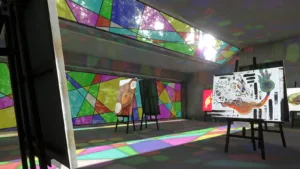
Creator kokoa has released a free tool called “SkeThrough” that helps you align clothes and accessories when creating avatars for VRChat.

This tool allows you to temporarily make the target object semi-transparent with one click. It is intended for use in situations where it is difficult to grasp the depth and align the object when putting on clothes or accessories. The semi-transparency is only an auxiliary display while working, and will not be reflected in the uploaded avatar.

In addition to positioning, it can also be used to check shrinkage and adjust the position when putting incompatible clothing on an avatar.
To use this feature, you need a Unity project with Modular Avatar 1.14 or later installed. The tested version is Unity 2022.3.22f1. After importing, SkeThrough is enabled by default, and you can enable/disable it and change various settings from the “Tools > SkeThrough” menu.
“SkeThrough” is available for free on Booth.
【Free!】I made a tool that makes alignment easy!
It’s hard to align clothes and accessories without knowing the depth!
I made a tool that makes them temporarily semi-transparent with one click, allowing you to quickly align them!
It’s NDMF-based and completely non-destructive, so you can use it with confidence!
It’s free, so please give it a try!
Link is below: pic.twitter.com/6KPz4AFyUR— Cocoa (@kka_vrc) March 10, 2026
Tool Overview
| Tool Name | SkeThrough |
| Distribution price | free |
| Distribution location | Booth(kokoa0429.booth.pm) |
| Supported shaders | lilToon、Poiyomi Toon Shader |
| Required environment | Modular Avatar 1.14 or later, Unity 2022.3.22f1 |
| license | MIT |
| Report a Bug | Booth DM / X DM / GitHub |
This article is an English translation of an original Japanese article, translated by the Mogura VR editorial team.
reference
https://kokoa0429.booth.pm/items/8024246